How to Do the AI Caricature Trend
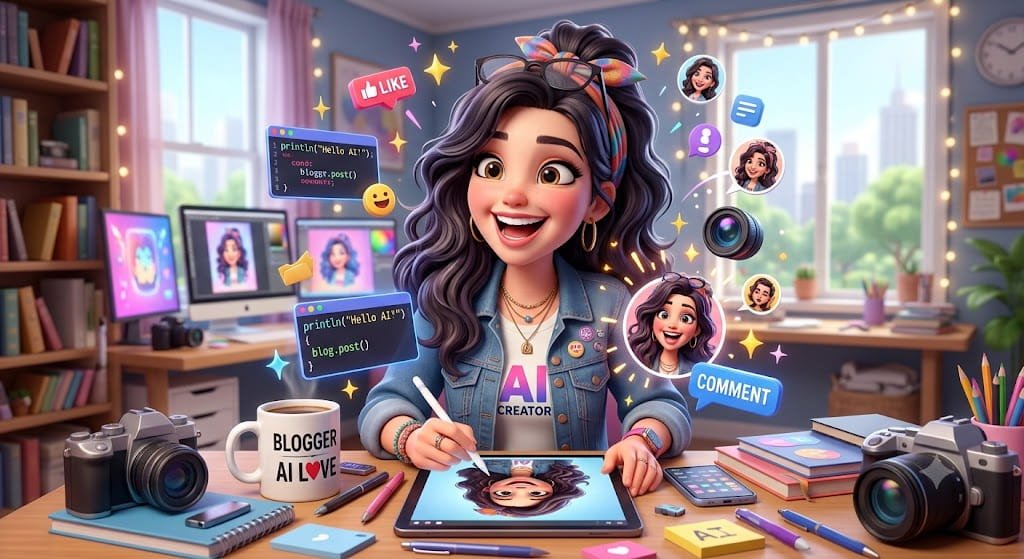
AI-generated images have taken social media by storm, and one of the most popular trends right now is the AI caricature trend. People are transforming ordinary photos into funny, exaggerated cartoon versions of themselves and sharing them across Facebook, Instagram, TikTok, and X.
If you’ve been wondering how to do the AI caricature trend, you’re in the right place. This guide explains everything you need to know, including the best tools, prompts, and tips for creating eye-catching AI caricatures.
What Is the AI Caricature Trend?
The AI caricature trend uses artificial intelligence to convert a normal photo into a stylized cartoon portrait with exaggerated features. Unlike traditional caricatures drawn by artists, AI tools can generate these images within seconds.
The trend became popular because it allows users to create unique and entertaining profile pictures, social media posts, and digital artwork without any design skills.
Some AI caricatures focus on humor, while others create professional-looking cartoon portraits that resemble illustrations from animated movies.
Why Is the AI Caricature Trend So Popular?
Several factors have contributed to the trend’s popularity:
- Easy to create
- No artistic skills required
- Highly shareable on social media
- Unique and personalized results
- Available through free and paid AI tools
People enjoy seeing themselves transformed into cartoon characters, superheroes, fantasy warriors, and comic-style illustrations.
Best AI Tools for Creating AI Caricatures
ChatGPT Image Generation
Many users are creating caricatures using AI image generation tools integrated with modern AI platforms. Users can upload a photo and provide detailed prompts to create cartoon-style portraits.
Canva AI
Canva offers AI-powered image generation features that help create artistic portraits and caricatures.
Fotor AI
Fotor provides various AI portrait effects, including cartoon and caricature styles.
Picsart AI
Picsart includes AI image generation tools specifically designed for creative social media content.
PhotoDirector
PhotoDirector offers AI avatar and caricature generation features suitable for beginners.
How to Do the AI Caricature Trend Step by Step
Step 1: Choose a Clear Photo
Select a high-quality image where:
- Your face is clearly visible
- Lighting is good
- Background distractions are minimal
- Facial features are easy to identify
The better the original image, the better the AI-generated caricature.
Step 2: Upload the Photo
Open your preferred AI image generation tool and upload the photo.
Most AI platforms support:
- JPG
- PNG
- HEIC
formats.
Step 3: Enter an AI Caricature Prompt
A detailed prompt helps the AI understand the desired style.
Example prompt:
Create a colorful AI caricature of this person with exaggerated facial expressions, large eyes, detailed cartoon features, vibrant colors, humorous style, high quality digital illustration, trending social media art.
Step 4: Generate the Image
Click the generate button and wait for the AI to process your image.
Most tools create results within a few seconds to a minute.
Step 5: Refine the Result
If you’re not satisfied with the first result:
- Modify the prompt
- Change the art style
- Increase detail level
- Regenerate the image
Many users create multiple versions before selecting their favorite.
Best AI Caricature Prompt Ideas
Funny Cartoon Style
Turn this photo into a humorous caricature with oversized facial features, expressive smile, colorful cartoon art, playful and vibrant style.
Celebrity Style
Create a professional celebrity-style caricature with exaggerated features, detailed illustration, vibrant colors, and magazine-quality artwork.
Pixar-Inspired Style
Transform this photo into a charming animated character with expressive eyes, smooth textures, cinematic lighting, and detailed cartoon styling.
Comic Book Style
Create a bold comic-book caricature with dramatic shading, vibrant colors, exaggerated features, and action-comic aesthetics.
Tips for Better AI Caricature Results
Use High-Resolution Photos
Blurry photos often produce weaker results.
Include Style Details
Specific prompts generate better images than generic instructions.
Experiment With Different Looks
Try:
- Cartoon style
- Comic style
- Fantasy style
- Anime style
- Digital painting style
Focus on Facial Expressions
Interesting facial expressions often create more engaging caricatures.
Common Mistakes to Avoid
Using Low-Quality Images
Poor image quality limits AI performance.
Writing Short Prompts
Simple prompts often produce generic results.
Expecting Perfect Results Immediately
Most users generate several versions before finding the best one.
Ignoring Editing Options
Many AI tools allow additional enhancements after generation.
Can You Create AI Caricatures for Free?
Yes. Many platforms offer free daily image generations. However, premium subscriptions often provide:
- Higher image quality
- Faster generation speeds
- More style options
- Better customization
If you’re trying the trend for the first time, a free plan is usually enough.
Is the AI Caricature Trend Safe?
Generally, yes, when using reputable AI tools. However:
- Read privacy policies
- Avoid uploading sensitive documents
- Use trusted platforms
- Understand how your images may be stored
Being aware of privacy settings helps protect your personal information.
The Future of AI Caricature Trends
As AI image generation continues to improve, caricatures are becoming more realistic, creative, and personalized. New styles emerge almost every month, making AI-generated artwork one of the fastest-growing social media trends.
From professional branding to casual entertainment, AI caricatures are likely to remain popular throughout 2026 and beyond.
Final Thoughts
Learning how to do the AI caricature trend is surprisingly easy. With the right photo, a creative prompt, and a reliable AI image generator, anyone can create eye-catching caricatures within minutes.
Whether you’re updating your profile picture, joining a viral social media trend, or simply having fun with AI technology, caricature generators offer an entertaining way to transform ordinary photos into unique works of art.
FAQs
What is the AI caricature trend?
The AI caricature trend uses artificial intelligence to transform photos into exaggerated cartoon-style portraits.
Which AI tool is best for AI caricatures?
Popular options include ChatGPT image generation, Canva AI, Fotor AI, Picsart AI, and PhotoDirector.
Can I create AI caricatures for free?
Yes. Many AI tools offer free image generations with limited daily usage.
Do I need design skills to make AI caricatures?
No. Most AI caricature tools are designed for beginners and require only a photo and a prompt.
Why do some AI caricatures look different from my photo?
AI models apply artistic interpretation and exaggeration, which is part of the caricature style.