
What is a Riser Desk? The Complete Guide to Desk Risers in 2026
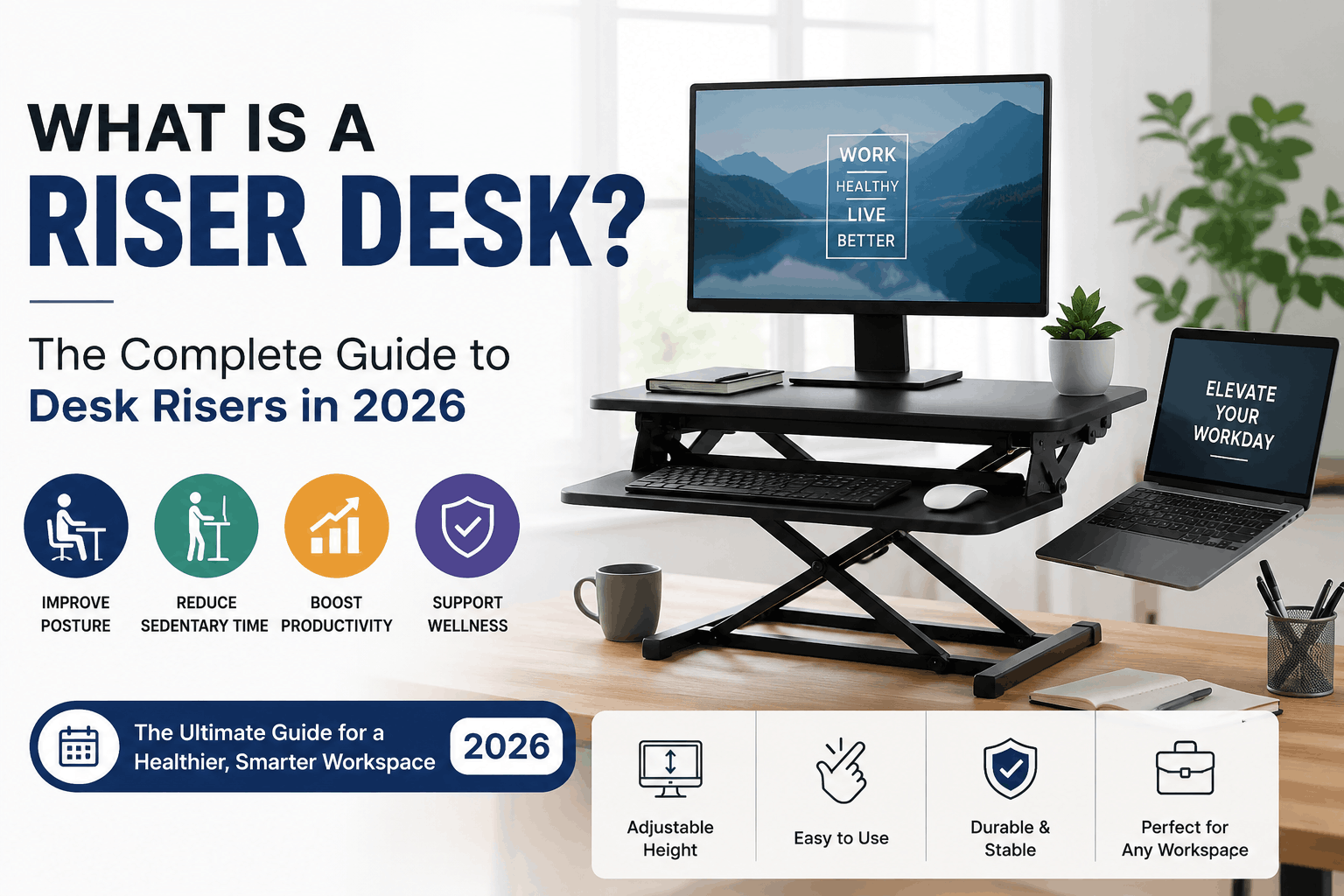
A riser desk (also called a desk riser or standing desk converter) is an adjustable platform that sits on top of your existing desk and lifts your monitor, keyboard, and mouse to standing height, allowing you to switch between sitting and standing while you work. Instead of replacing your entire desk, a riser desk converts the workspace you already own into a sit-stand setup, usually at a fraction of the cost of a full standing desk.
If you spend six or more hours a day at a computer, you have probably felt the effects of prolonged sitting: lower back stiffness, neck strain, and that mid-afternoon energy crash. A riser desk is one of the most affordable ways to fix this problem without buying new furniture. In this guide, I will explain exactly what a riser desk is, how it works, the different types available, the real health benefits backed by research, and how to choose the right one for your home office or workplace.
What Is a Riser Desk and How Does It Work?
A riser desk is a height-adjustable unit placed on top of a standard desk or table. It typically has two levels: an upper platform that holds your monitor or laptop, and a lower tray that holds your keyboard and mouse. When you want to stand, you lift or raise the unit using one of these mechanisms:
- Gas spring (pneumatic) lift: The most common mechanism. You squeeze a lever or handles on the sides, and gas cylinders assist the platform as it rises smoothly. Most gas spring risers adjust in under three seconds.
- X-frame (scissor) lift: The platform rises straight up on an X-shaped frame, which saves space because the unit does not move toward you as it rises.
- Z-frame lift: The platform moves up and toward you in an arc. These are usually cheaper but need more clearance in front of the desk.
- Electric lift: Powered by a small motor, adjusted with the press of a button. These are the most convenient but also the most expensive type of riser desk.
- Manual post or crank risers: Fixed-height or hand-adjusted models, typically the most budget-friendly option.
The core idea is simple: your desk stays where it is, and only your working surface moves. That is why riser desks are so popular with renters, remote workers, students, and anyone who wants a sit-stand workflow without replacing furniture.
Riser Desk vs Standing Desk: What Is the Difference?
Many people confuse a riser desk with a full standing desk, but they are two different products. Here is a clear comparison:
| Feature | Riser Desk (Desk Converter) | Full Standing Desk |
| Setup | Sits on top of your existing desk | Replaces your entire desk |
| Average price | $50 – $400 | $250 – $1,500+ |
| Assembly | Minimal (often ready out of the box) | Requires full assembly |
| Workspace size | Limited to the platform (24–48 inches wide) | Full desktop surface moves with you |
| Portability | Easy to move or remove | Fixed installation |
| Best for | Renters, small budgets, shared spaces | Permanent home offices, larger setups |
| Stability at height | Good (depends on build quality) | Excellent |
The short answer: choose a riser desk if you want an affordable, flexible sit-stand solution on the desk you already have. Choose a full standing desk if you are building a permanent workstation and your budget allows it.
What Are the Benefits of a Riser Desk?
The benefits of a riser desk come from one behavior change: breaking up long periods of continuous sitting. Research on sit-stand workstations has consistently pointed to several advantages:
1. Reduced Back and Neck Pain
Studies on sit-stand desks, including research published in occupational health journals, have found that alternating between sitting and standing can reduce upper back and neck discomfort in office workers, with many participants reporting noticeable improvement within a few weeks. Standing periodically takes pressure off your lumbar spine and encourages better posture.
2. More Energy and Better Focus
Prolonged sitting is associated with fatigue and reduced alertness. Users of sit-stand setups frequently report higher energy levels and improved concentration during standing periods, especially in the post-lunch hours when productivity usually dips.
3. Increased Calorie Burn and Movement
Standing burns slightly more calories than sitting, roughly 7 to 9 extra calories per hour. That number is small on its own, but the bigger benefit is behavioral: people who stand tend to move more, stretch more, and take more micro-breaks, which supports overall metabolic health.
4. Lower Health Risks Linked to Sedentary Behavior
Long uninterrupted sitting has been linked to higher risks of cardiovascular issues, type 2 diabetes, and musculoskeletal problems. A riser desk does not eliminate these risks by itself, but it makes it dramatically easier to follow the widely recommended pattern of changing posture every 30 to 60 minutes.
5. Affordability and Zero Commitment
Unlike a full standing desk, a riser desk requires no furniture replacement, no drilling, and often no assembly. If you move houses or change jobs, it comes with you.
Important honesty note (E-E-A-T): standing all day is not healthier than sitting all day. The research supports alternating between the two. Experts commonly suggest ratios like 1:1 or 2:1 sitting-to-standing time. A riser desk is a tool for movement variety, not a magic health device.
What Types of Riser Desks Are Available?
When shopping, you will come across these main categories:
Gas Spring Riser Desks
The most popular type. Smooth height adjustment, sturdy dual-tier design, and usually 30+ lb weight capacity. Ideal for dual-monitor setups. Price range: $100–$250.
X-Frame Riser Desks
Rise vertically without moving toward you, making them the best choice for small desks or tight spaces. Price range: $90–$200.
Z-Frame Riser Desks
Budget-friendly, but the platform swings forward as it rises, so you need extra room. Price range: $50–$130.
Electric Riser Desks
Motorized adjustment at the push of a button, often with memory height presets. Best for users with limited hand strength or heavy multi-monitor setups. Price range: $250–$400+.
Laptop Riser Stands
Compact, single-surface risers designed for laptop users and hot-desking. Lightweight and portable, but usually not suitable for external monitors. Price range: $30–$80.
How to Choose the Right Riser Desk (Buying Checklist)
Use this checklist before buying any riser desk:
- Measure your desk depth and width. Most dual-tier risers need at least 24 inches of desk depth. Z-frame models need extra front clearance.
- Check the maximum height. For proper ergonomics, the platform should raise your monitor so the top of the screen sits at or slightly below eye level while standing. If you are taller than 6 feet, look for risers with at least 19–20 inches of vertical travel.
- Verify weight capacity. A single monitor plus keyboard needs about 15–20 lbs of capacity; dual monitors typically need 30–35 lbs.
- Look for a separate keyboard tray. Typing on the same surface as your monitor forces your arms up and strains your shoulders. A lower keyboard deck keeps your elbows at roughly 90 degrees.
- Test stability (or read reviews for wobble). Cheap risers can wobble at full height, which is distracting when typing.
- Match the mechanism to your habits. If you will switch positions many times a day, gas spring or electric mechanisms are worth the extra cost.
How Do You Use a Riser Desk Correctly?
Owning a riser desk only helps if you use it with proper ergonomics:
- Monitor height: Top of the screen at or just below eye level, about an arm’s length away.
- Elbow angle: Keep elbows bent at 90–100 degrees whether sitting or standing.
- Wrists: Neutral and straight, not bent upward, while typing.
- Standing posture: Weight evenly on both feet, knees soft (not locked), shoulders relaxed.
- Footwear and mat: If you stand on a hard floor, an anti-fatigue mat significantly reduces leg and foot strain.
- Timing: Start with 15–20 minutes of standing per hour and build up gradually. Sudden all-day standing causes its own aches.
A simple routine that works for most people: sit for 40 minutes, stand for 20, and take a 2-minute walk every hour.
How Much Does a Riser Desk Cost in 2026?
Here is a realistic price breakdown by category:
| Riser Desk Type | Typical Price Range (USD) |
| Laptop riser stand | $30 – $80 |
| Z-frame converter | $50 – $130 |
| X-frame converter | $90 – $200 |
| Gas spring dual-tier | $100 – $250 |
| Electric converter | $250 – $400+ |
Well-known brands in this space include Vari (VariDesk), FlexiSpot, Ergotron, FEZIBO, and Mount-It. Budget models from lesser-known brands can work well, but check reviews for wobble and lifting smoothness before buying.
Who Should Buy a Riser Desk?
A riser desk is the right choice if you:
- Work from home and spend 5+ hours daily at a computer
- Rent your home or share a workspace and cannot install permanent furniture
- Want the health benefits of a sit-stand setup on a budget
- Already own a desk you like and do not want to replace it
- Experience back, neck, or shoulder discomfort from prolonged sitting
A riser desk may not be ideal if you need a very large working surface while standing, use three or more monitors on heavy mounts, or are building a permanent office and can invest in a full electric standing desk instead.
Frequently Asked Questions About Riser Desks
Is a riser desk worth it?
Yes, for most desk workers a riser desk is worth it. It costs far less than a full standing desk, requires no furniture replacement, and delivers the main health benefit that matters: the ability to alternate between sitting and standing throughout the day.
What is the difference between a desk riser and a monitor stand?
A monitor stand only lifts your screen a few inches for better viewing angle while you remain seated. A desk riser lifts your entire working surface, monitor, keyboard, and mouse, high enough for you to work while standing.
Can a riser desk hold two monitors?
Yes, most gas spring and electric riser desks support dual monitors. Check that the platform is at least 35 inches wide and the weight capacity is 30 lbs or higher before buying.
How long should I stand at a riser desk?
Start with 15–20 minutes of standing per hour and gradually increase. Most ergonomics experts recommend alternating positions every 30–60 minutes rather than standing for long continuous stretches.
Do riser desks damage your existing desk?
No. Quality riser desks have padded or rubberized feet that protect the desk surface. Just confirm your desk can handle the combined weight of the riser and your equipment, usually 40–60 lbs total.
Are cheap riser desks stable?
Stability varies widely. Sub-$60 Z-frame models often wobble at full height. If you type heavily while standing, invest in a gas spring or X-frame model from a reviewed brand.
Final Thoughts: Is a Riser Desk Right for You?
So, what is a riser desk? It is the simplest, most affordable bridge between the desk you own and the healthier sit-stand work style your body needs. For under $200, most people can transform a static workstation into a flexible one, reduce back and neck strain, and add more movement to their workday without any furniture replacement.
If you are setting up a home office in 2026, a riser desk belongs on your shortlist alongside an ergonomic chair and an anti-fatigue mat. Measure your desk, pick the mechanism that fits your budget, and start with short standing sessions. Your back will thank you within weeks.