What Can AI Tools Do in Audacity?
Introduction
Audacity is a popular audio editing tool used by podcasters, musicians, students, video creators, and audio editors. It helps users record, cut, edit, mix, and improve audio files.
But now, many people want to know: what can AI tools do in Audacity?
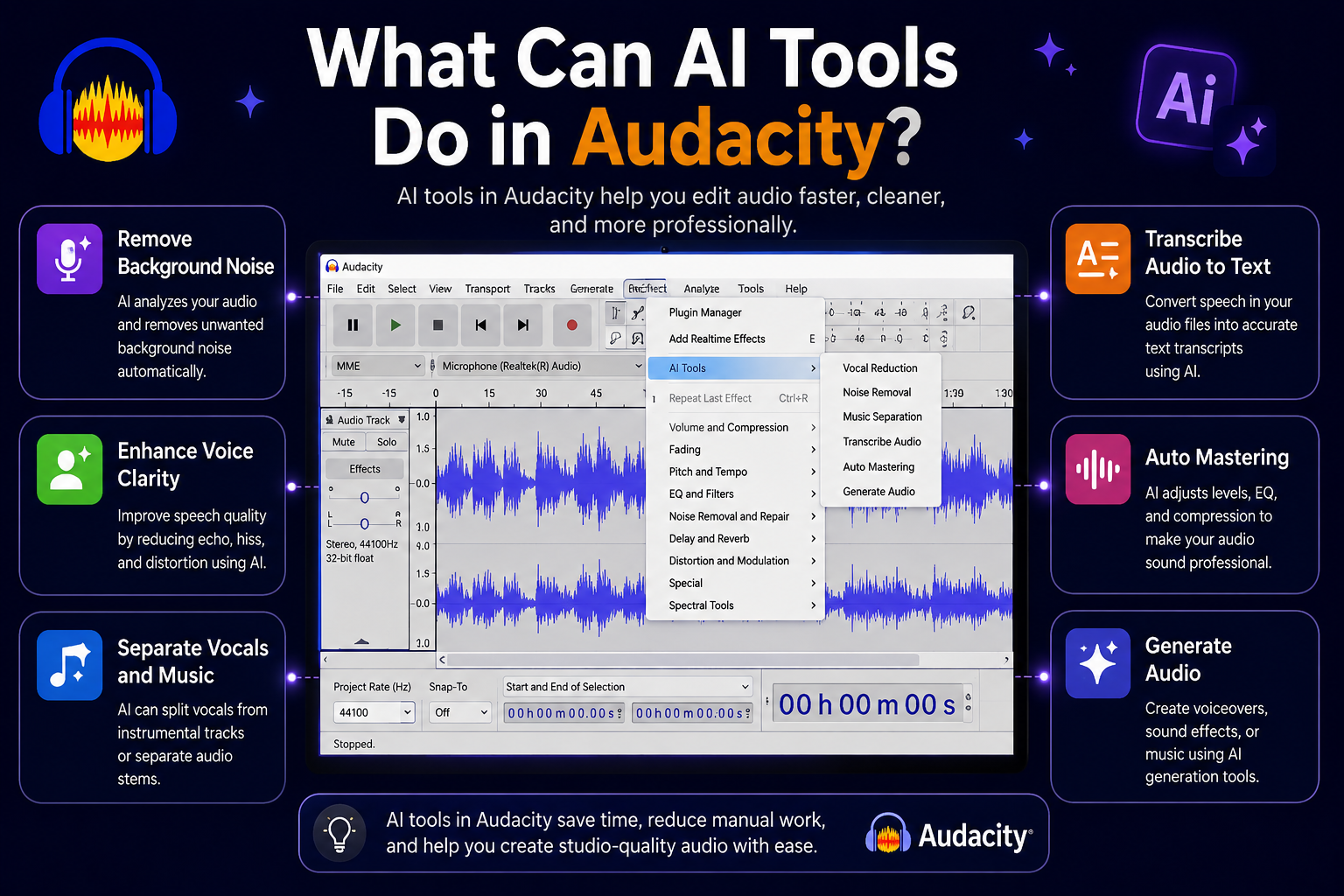
The simple answer is that AI tools in Audacity can help with noise removal, audio transcription, music separation, music generation, and audio quality improvement. These features make audio editing faster and easier, especially for people who do not have advanced editing skills.
Audacity is already known as a free and open-source multi-track audio editor and recorder for Windows, macOS, and Linux. With AI plugins, it becomes even more useful for modern audio work.
What Is Audacity?
Audacity is an audio editing and recording software. It is used to record voice, edit music, remove noise, cut unwanted parts, and export audio files in different formats.
Many beginners use Audacity because it is simple and free. Many professionals also use it for quick audio editing tasks.
Audacity can be used for:
- Podcast editing
- Voice recording
- Music editing
- Audio cleanup
- YouTube voiceovers
- Online course audio
- Interviews
- Sound effects
It is a useful tool for anyone who works with audio.
What Are AI Tools in Audacity?
AI tools in Audacity are special features that use artificial intelligence to improve audio editing.
These tools are available through AI plugins, such as the OpenVINO AI effects for Audacity. Audacity’s official AI plugin page lists features like music separation, noise suppression, music generation, Whisper transcription, and audio super resolution.
This means users can do advanced audio tasks without doing everything manually.
AI tools can save time, improve sound quality, and make audio editing easier for beginners.
AI Tools Can Remove Background Noise
One of the most useful things AI tools can do in Audacity is remove background noise.
If your recording has fan noise, room noise, keyboard sound, or other unwanted background sounds, AI noise suppression can help reduce them.
This is very helpful for:
- Podcasts
- Voiceovers
- Interviews
- Online classes
- YouTube videos
- Business recordings
Audacity says the OpenVINO noise suppression effect is made to reduce background noise and works best on spoken-word audio.
This makes your voice sound cleaner and more professional.
AI Tools Can Transcribe Audio to Text
AI tools in Audacity can also turn spoken audio into text.
This feature is useful when you have a podcast, interview, lecture, or meeting recording and you want written text from it.
Audacity’s AI plugins include Whisper transcription, which can transcribe audio into text using OpenAI’s Whisper model. The result can also be exported as labels or subtitle-style text.
This is helpful for:
- Podcast notes
- Video subtitles
- Blog content
- Meeting summaries
- Interview scripts
- Course material
Instead of typing everything manually, AI can create a text version faster.
AI Tools Can Separate Music Tracks
Another powerful AI feature in Audacity is music separation.
Music separation means AI can split a song into different parts. For example, it can separate vocals, drums, bass, and other instruments.
This is useful for musicians, remix creators, DJs, and editors.
Audacity’s AI plugin page says music separation can separate mono or stereo tracks into individual stems, including drums, bass, vocals, and other instruments.
This feature can be used for:
- Removing vocals from a song
- Creating karaoke tracks
- Studying music parts
- Making remixes
- Practicing with instruments
- Editing background music
Before AI, this type of work was difficult. Now, AI makes it much easier.
AI Tools Can Generate Music
AI tools in Audacity can also help generate music.
This means you can create short music ideas or continue an existing music clip with the help of AI.
Audacity says its music generation and continuation feature uses MusicGen to create music snippets or continue an existing snippet.
This can be useful for creators who need quick background music ideas.
For example, you can use it for:
- YouTube background music
- Podcast intros
- Short video music
- Creative sound ideas
- Demo tracks
- Experimental music
However, AI-generated music may still need editing. A human editor should listen, adjust, and improve the final result.
AI Tools Can Improve Old Audio
AI tools in Audacity can also improve old or low-quality audio.
One feature is audio super resolution. This can increase the sampling rate of audio and help improve clarity or compatibility with higher-resolution audio standards. Audacity mentions that this can be useful for older recordings, such as telephone-quality audio.
This is helpful when you are working with:
- Old recordings
- Low-quality voice files
- Phone call audio
- Archive audio
- Poor-quality interviews
AI cannot always make bad audio perfect, but it can make some recordings clearer and easier to understand.
AI Tools Can Save Time for Audio Editors
AI tools in Audacity are useful because they save time.
Without AI, audio editors may spend a lot of time removing noise, separating vocals, or typing transcripts manually.
With AI, many of these tasks can be done faster.
For example, a podcaster can record an episode, remove background noise, transcribe the audio, and prepare content notes more quickly.
This helps creators focus more on content and less on technical editing.
Are AI Tools in Audacity Good for Beginners?
Yes, AI tools in Audacity are helpful for beginners.
Many new users do not know how to clean audio properly. AI tools make the process easier because they can handle some complex tasks automatically.
Beginners can use AI tools for:
- Cleaning voice recordings
- Creating subtitles
- Removing background noise
- Separating music parts
- Improving audio quality
But beginners should still learn basic Audacity editing. AI is helpful, but it should not replace basic audio editing knowledge.
Are AI Tools in Audacity Useful for Professionals?
Yes, AI tools are also useful for professionals.
Professional editors can use AI to speed up repetitive tasks. For example, instead of manually cleaning long audio files, they can use AI noise suppression as a starting point.
Musicians can use music separation to isolate vocals or instruments. Podcast editors can use transcription to create notes and captions faster.
AI tools do not replace professional editing, but they make the editing process more efficient.
Final Thoughts
So, what can AI tools do in Audacity?
AI tools in Audacity can remove background noise, transcribe audio to text, separate music tracks, generate music ideas, and improve old audio quality.
These features make Audacity more powerful for podcasters, musicians, video creators, students, and audio editors.
AI can save time and make difficult audio tasks easier. However, users should still review and edit the final audio manually to get the best result.
If you already use Audacity, AI tools can help make your audio editing workflow faster, cleaner, and more professional.
FAQs
What can AI tools do in Audacity?
AI tools in Audacity can remove noise, transcribe audio, separate music tracks, generate music, and improve audio quality.
Can Audacity remove background noise with AI?
Yes, Audacity AI plugins include noise suppression that can help reduce background noise in recordings.
Can Audacity transcribe audio to text?
Yes, Audacity AI plugins include Whisper transcription, which can turn spoken audio into text.
Can Audacity separate vocals from music?
Yes, AI music separation in Audacity can split songs into vocals, drums, bass, and other instrument parts.
Is Audacity good for beginners?
Yes, Audacity is good for beginners because it is free, simple, and useful for basic audio editing. AI tools make it even easier.