What Are the Best AI Workflow Automation Tools?
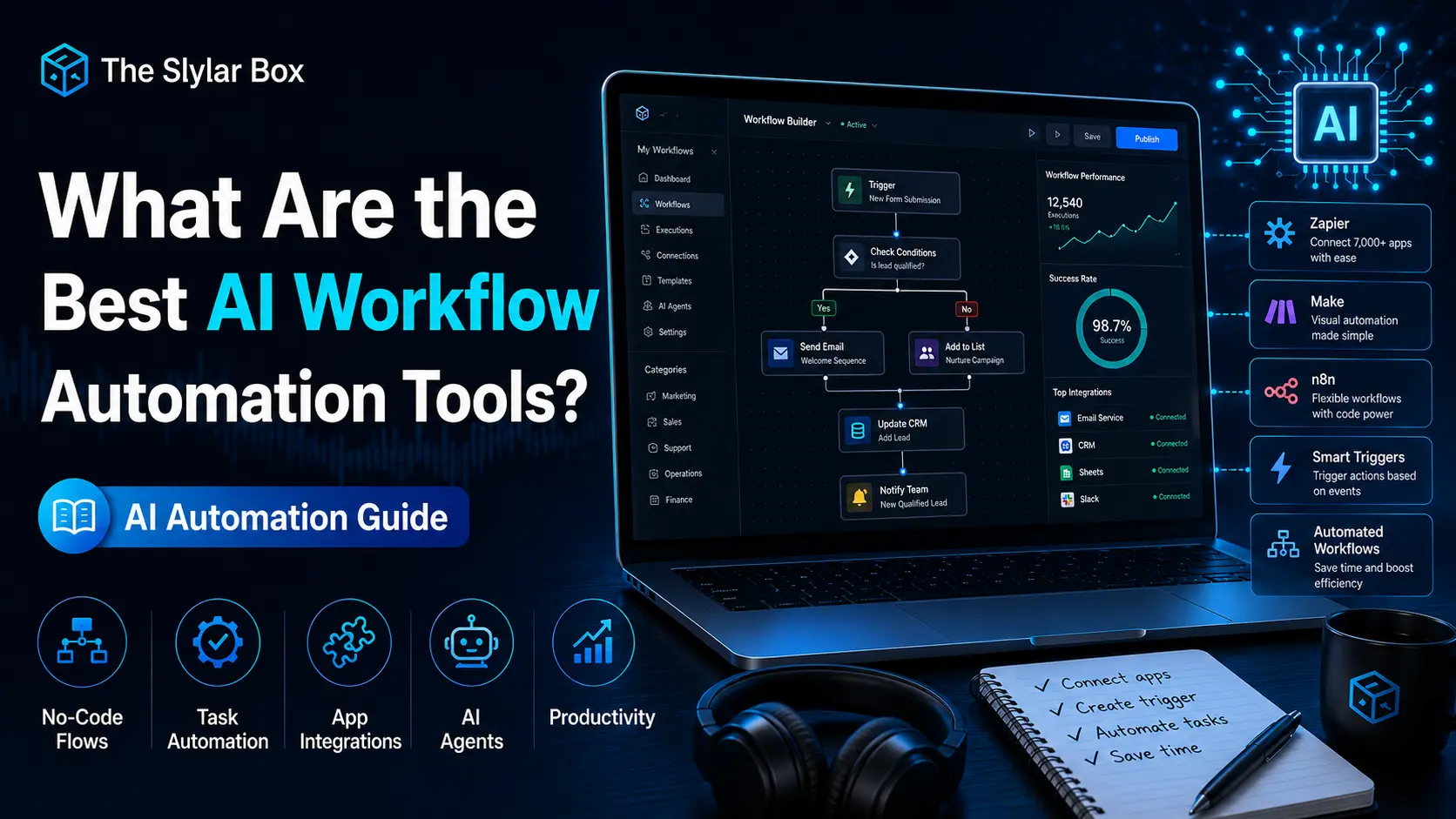
The best AI workflow automation tools in 2026 are Zapier, Make, and n8n, each built for a different type of team. Zapier is the fastest, no-code option for non-technical teams with 8,000+ app integrations and Zapier Agents for autonomous task execution. Make offers more visual power for complex, multi-step logic at a more affordable price. And n8n is the only major self-hostable option, making it the top pick for developers and regulated industries that need AI agents with full data control. Beyond these three, tools like Pipedream, Pabbly Connect, and Relay.app fill specific niches worth knowing about.
Below, we’ll break down what each of these AI workflow automation tools actually does well, how their pricing compares, and which one fits your specific situation.
What Makes a Workflow Tool “AI” Now?
Every major workflow automation platform added native AI capabilities in 2026, but they work in a few distinct ways:
- AI-assisted building: describe what you want in plain language, and the tool generates the workflow for you (Zapier’s AI Copilot, Make’s Maia).
- AI agents: autonomous systems that make decisions and execute multi-step tasks without a human triggering each step (Zapier Agents, Make AI Agents, n8n’s AI Agent Tool Node).
- LLM orchestration: connecting workflows directly to language models for tasks like summarization, classification, or retrieval-augmented generation (n8n’s LangChain integration is the deepest example of this).
Best AI Workflow Automation Tools in 2026
1. Zapier: Best for Non-Technical Teams
Zapier remains the most widely recognized of all AI workflow automation tools, connecting over 8,000 apps through simple, linear “Zaps.” In 2026, it added Zapier Agents, autonomous AI systems that execute tasks across apps without human intervention — plus an AI Copilot that builds Zaps directly from natural-language descriptions. It’s the fastest path to a working automation for solo founders and small teams with no developer on hand, though costs climb quickly at higher task volumes. Pricing starts with a free tier (100 AI Orchestration tasks/month), with paid plans starting around $19.99/month billed annually.
2. Make: Best Value for Visual, Multi-Step Logic
Make (formerly Integromat) uses a drag-and-drop visual canvas that handles branching, iterators, and complex data transforms more elegantly than Zapier’s linear builder. Its 2026 additions include the Maia AI assistant for building scenarios and Make AI Agents for autonomous execution, plus “Make Grid,” an orchestration view for monitoring AI agents, apps, and workflows across an organization. Make connects to 1,500–3,000+ apps depending on the source, and its per-operation pricing model tends to work out cheaper than Zapier for complex, multi-step workflows. It has the most generous free tier of the three major platforms.
3. n8n: Best for Developers and Regulated Industries
n8n is the only self-hostable platform among the major AI workflow automation tools, meaning your data never has to leave your own servers — a significant advantage for healthcare, finance, or any team with strict data governance requirements. n8n 2.0, launched in January 2026, added native LangChain integration with 70+ AI nodes, persistent agent memory across executions, vector database support for retrieval-augmented generation (RAG), and sandboxed code execution. It bills per execution rather than per task, so a 10-step workflow running thousands of times a month can cost 80–90% less than the equivalent Zapier setup. The trade-off is a steeper learning curve — n8n is built for technical users comfortable with APIs and custom logic, not first-time automation builders.
4. Pipedream: Best for Developers Who Want Code, Not Canvases
Pipedream is a developer-first automation platform built around serverless code steps in JavaScript, Python, and TypeScript. Where n8n blends a no-code UI with extensibility, Pipedream leans further into a code-first approach, making it a strong pick for engineering teams who’d rather write logic directly than configure it visually.
5. Pabbly Connect: Best Budget Option
Pabbly Connect offers flat-rate pricing with no charge for internal steps, connecting 1,000+ apps including Gmail, Shopify, and WordPress. It’s a simpler, Zapier-style canvas at a lower cost, making it a solid option for small businesses watching per-task costs closely, even though its ecosystem and advanced features are smaller than the three major platforms.
6. Relay.app and Lindy Best for Lightweight AI Agent Building
Relay.app and Lindy AI are newer AI agent builders aimed at teams that want autonomous workflows qualifying leads, drafting meeting follow-ups, or generating competitor reports without the complexity of a full automation platform. They’re best thought of as a lighter-weight alternative when your automation needs are agent-focused rather than broad app-to-app integration.
Pricing Comparison at a Glance
- Zapier: Free tier (100 tasks/month); paid plans from ~$19.99/month, rising quickly with volume
- Make: Most generous free tier (1,000 operations/month); paid plans typically cost about one-third of Zapier’s at similar volume
- n8n: Free if self-hosted (just server costs, roughly $20/month); cloud plans also available
- Pabbly Connect: Flat-rate paid plans from ~$14/month, no charge for internal steps
Which AI Workflow Automation Tool Should You Choose?
- Solo founders and non-technical teams who need something running today: Zapier
- Small-to-medium businesses that want more power without hiring a developer: Make
- Developers, agencies, or regulated industries building custom AI agents: n8n
- Engineering teams who prefer writing code over visual builders: Pipedream
- Small businesses on a tight budget doing standard SaaS-to-SaaS automation: Pabbly Connect
- Teams that specifically want autonomous AI agents rather than broad automation: Relay.app or Lindy
How to Get Started with AI Workflow Automation Tools
- List the repetitive tasks you actually want to automate before picking a tool.
- Start on a free tier all major platforms offer one.
- If non-technical, start with Zapier’s AI Copilot or a template.
- If scaling to high volume, model out per-task vs. per-execution cost before committing.
- Test one real workflow end-to-end, including error handling, before rolling it out team-wide.
Real Results from Companies Using These Tools
Vodafone reported saving approximately £2.2 million in operational costs using n8n, while Delivery Hero reported saving 200+ hours of manual work per month. Enterprise customers like Deutsche Telekom, Lufthansa, and Siemens run large-scale automation through Make’s Grid orchestration view. The broader market reflects this momentum: the workflow automation market was valued at roughly $26 billion in 2026, and 60% of companies have adopted some form of automation in the past year that figure jumps to 84% among large enterprises.
Common Mistakes to Avoid
- Picking a tool based on price alone
- Skipping error handling
- Over-automating too fast
- Ignoring data governance for regulated industries
Frequently Asked Questions
Zapier is generally considered the easiest to start with, thanks to its linear builder, large template library, and AI Copilot.
n8n is typically cheapest at high volume, especially if self-hosted, since it bills per workflow execution rather than per task.
Yes — Zapier Agents, Make AI Agents, and n8n’s AI Agent Tool Node all support building autonomous AI agents, not just trigger-and-action automations.
No, for Zapier, Make, Pabbly Connect. n8n and Pipedream are more developer-oriented but n8n still offers a no-code layer for simpler workflows.
Bottom Line
There’s no single “best” tool the right choice depends on your team’s technical comfort, budget, and workflow complexity. Zapier wins on simplicity, Make wins on value, and n8n wins on power and cost efficiency for technical teams. Start with whichever platform’s free tier matches your use case, build one real workflow end-to-end, and let that guide your next step.