How to Do the New AI Photo Trend
The new AI photo trend is everywhere right now. People are turning simple selfies into cinematic portraits, cartoon avatars, action figures, professional headshots, fantasy characters, and creative social media images.
If you are wondering how to do the new AI photo trend, the process is very simple. You only need a clear photo, an AI image tool, and a good prompt.
What Is the New AI Photo Trend?
The new AI photo trend means using artificial intelligence to transform normal photos into creative, edited, or stylized images.
Popular styles include:
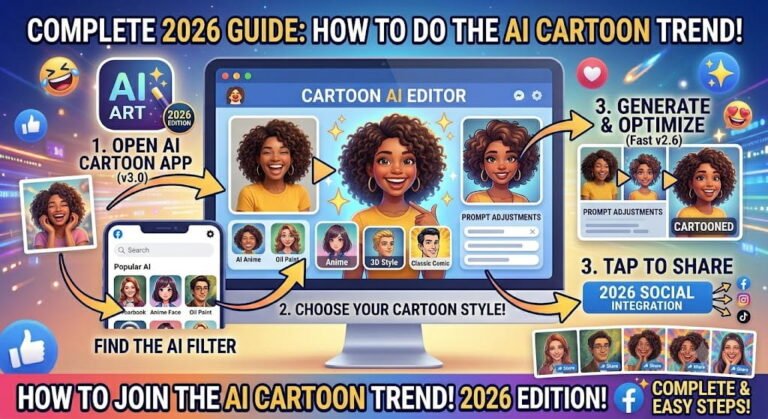
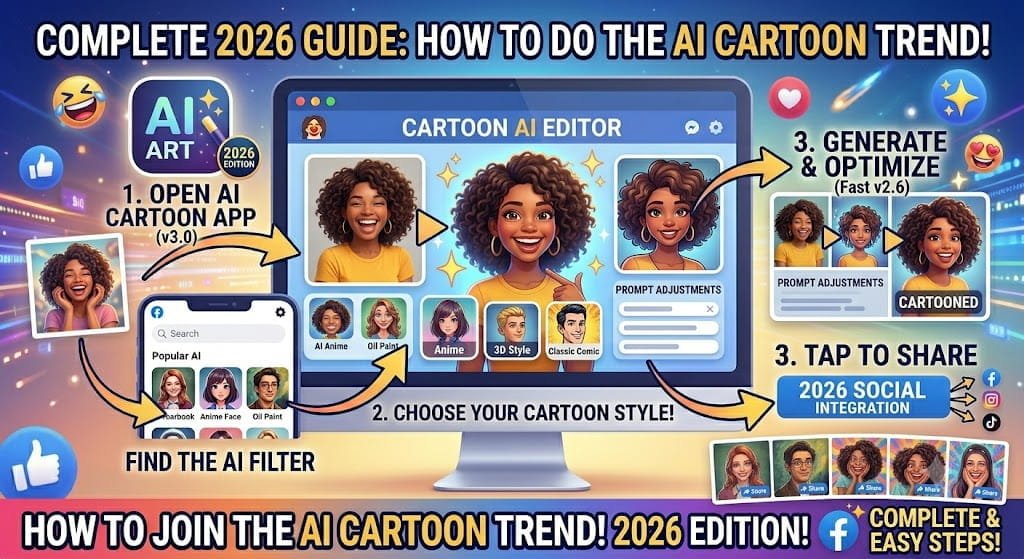
- AI cartoon photos
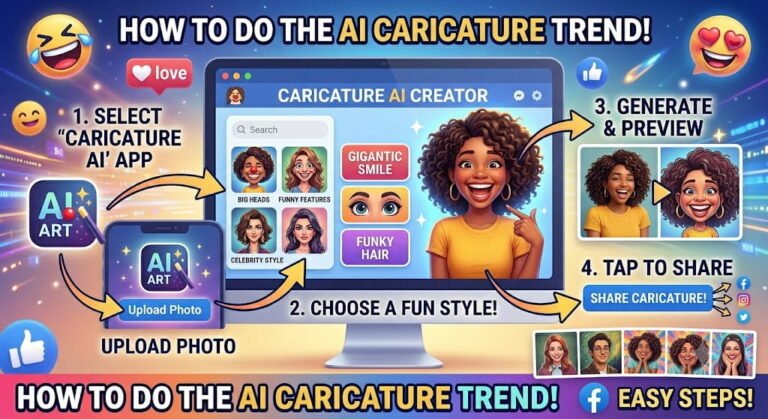
- AI caricatures
- AI action figure images
- AI professional headshots
- AI fantasy portraits
- AI couple photos
- AI movie poster images
- AI vintage-style portraits
These images are popular because they look professional, creative, and highly shareable.
Why Is the AI Photo Trend So Popular?
The trend is popular because AI makes photo editing easier than ever.
People like it because:
- It is fast
- It is easy for beginners
- It creates unique images
- It works well for social media
- It does not require editing skills
- It can turn ordinary photos into eye-catching artwork
Many users are using AI photos for profile pictures, Facebook posts, Instagram reels, TikTok content, and business branding.
Best Tools for the New AI Photo Trend
You can use many AI tools to create trending AI photos.
Some popular options include:
- ChatGPT image generation
- Canva AI
- Adobe Firefly
- Microsoft Designer
- Picsart AI
- Fotor AI
- Remini AI
Choose the tool that feels easiest for you.
How to Do the New AI Photo Trend Step by Step
Step 1: Choose a Clear Photo
Start with a good-quality image.
Your photo should have:
- Clear face
- Good lighting
- Simple background
- No blur
- Natural expression
A better photo usually gives better AI results.
Step 2: Choose Your AI Style
Decide what type of image you want to create.
For example:
- Cartoon style
- Professional portrait
- Action figure style
- Cinematic photo
- Fantasy character
- Luxury lifestyle image
- Anime-style portrait
Choosing the style first helps the AI understand your goal.
Step 3: Upload Your Photo
Open your AI image generator and upload your selected photo.
Most tools allow JPG, PNG, or HEIC files.
Step 4: Write a Strong Prompt
A prompt is the instruction you give to the AI.
Example prompt:
Transform this photo into a cinematic AI portrait with realistic details, soft lighting, professional photography style, sharp focus, modern social media look, and high-quality finish.
For cartoon style, use:
Turn this person into a colorful cartoon character with expressive eyes, smooth details, vibrant colors, and modern animated artwork style.
Step 5: Generate the Image
Click generate and wait for the AI to create your image.
Most tools generate images within a few seconds.
Step 6: Improve the Result
If the result is not perfect, try again with a better prompt.
You can ask the AI to:
- Make it more realistic
- Add cinematic lighting
- Change the background
- Improve facial details
- Make it more colorful
- Create a different style
Step 7: Download and Share
Once you like the result, download the image and share it on your social media accounts.
You can post it on:
- TikTok
- X
Best AI Photo Trend Prompts
Cinematic Portrait Prompt
Create a realistic cinematic portrait from this photo with dramatic lighting, sharp details, professional camera look, soft background blur, and high-quality social media style.
Cartoon Photo Prompt
Turn this photo into a bright cartoon portrait with expressive eyes, smooth textures, colorful details, and clean animated character style.
Action Figure Prompt
Create an action figure version of this person inside premium toy packaging, with accessories, realistic plastic texture, studio lighting, and professional product photography.
Professional Headshot Prompt
Create a clean professional headshot with studio lighting, realistic skin tone, confident expression, simple background, and business profile style.
Fantasy Character Prompt
Transform this person into a fantasy hero with detailed costume, magical background, cinematic lighting, and epic digital artwork style.
Tips to Get Better AI Photo Results
Use a High-Quality Image
AI works better when your original photo is clear.
Be Specific in Your Prompt
Instead of writing “make this AI photo,” describe the exact style you want.
Try Multiple Versions
Do not stop at the first result. Generate 3 to 5 versions and choose the best one.
Check the Details
Before posting, check:
- Eyes
- Hands
- Teeth
- Background
- Text
- Face shape
AI can sometimes make small mistakes.
Use Natural Captions
Good captions help your post get more engagement.
Examples:
- “Tried the new AI photo trend.”
- “AI made this version of me.”
- “Which one looks better?”
- “This is what AI thinks I look like.”
Common Mistakes to Avoid
Using Blurry Photos
Blurry photos usually create poor results.
Giving Very Short Prompts
Short prompts often create basic images.
Ignoring Privacy
Use trusted AI tools and avoid uploading sensitive photos.
Posting Without Checking
Always review the final image before sharing it.
Can You Do the New AI Photo Trend for Free?
Yes, many AI tools offer free image generations.
Free plans are usually enough for beginners. Paid plans may give you better quality, faster results, and more style options.
Is the AI Photo Trend Safe?
The trend is generally safe if you use reliable tools.
To stay safe:
- Read privacy settings
- Avoid uploading private documents
- Do not upload sensitive photos
- Use trusted platforms
- Be careful with fake political or celebrity images
Final Thoughts
Learning how to do the new AI photo trend is easy. You only need a clear image, a creative prompt, and a good AI tool.
Whether you want a cartoon portrait, action figure image, professional headshot, or cinematic photo, AI can help you create something unique within minutes.
The best results come from experimenting. Try different prompts, styles, and versions until you get an image that looks natural, creative, and ready to share.
FAQs
What is the new AI photo trend?
It is a social media trend where people use AI tools to transform normal photos into creative images, cartoons, avatars, portraits, or stylized artwork.
Which AI tool is best for the AI photo trend?
Popular tools include ChatGPT image generation, Canva AI, Adobe Firefly, Microsoft Designer, Picsart AI, Fotor AI, and Remini AI.
Can I do the AI photo trend for free?
Yes, many AI tools offer free image generations with limited daily usage.
Do I need editing skills?
No, you only need a photo and a prompt. The AI does most of the work.
Why does my AI photo look strange?
AI can sometimes distort faces, hands, eyes, or backgrounds. Try a clearer photo and a more detailed prompt.